
PurePlayer guide
How to use the live guide in PurePlayer
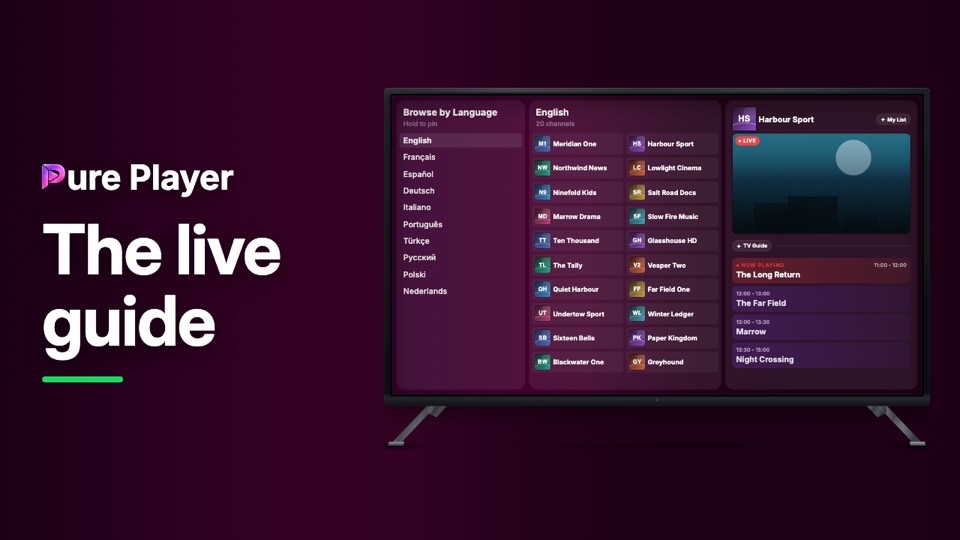
When your playlist carries a schedule, PurePlayer shows it. Channel, picture and programme sit on one screen, and the guide opens on a full day ahead.
This video also covers the part that makes a long list usable: browsing by language, country or provider, and holding to pin the ones you actually watch so they sit at the top on every linked device.
Step by step
Open Live TV. The left panel browses by language, and it also has Browse by Country and Browse by Provider.
Hold to pin on any row to keep it at the top. Pins follow you to your other linked devices.
Pick a channel. The right panel shows the picture and what is on now.
Press TV Guide for the full schedule, Today and Tomorrow.
What appears here depends entirely on the playlist you added.
PurePlayer installed, and your own playlist. Nothing is included with the app.
Questions
How do I pin a channel?
Hold on it. A language, a group or a single channel can be pinned, and it moves to the top. Your pins follow every device you have linked.
What does the guide show?
What is on now, what is next, and the rest of the day, beside the channel rather than on a separate screen.
Can I browse by something other than language?
Yes. Language, country or provider, whichever way your own playlist is organised.