
PurePlayer guide
How to listen to radio in PurePlayer
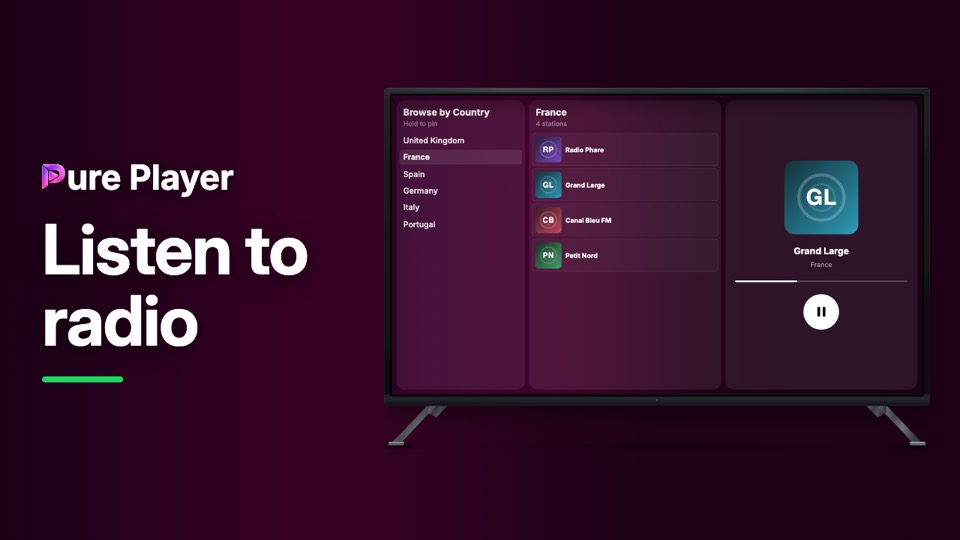
PurePlayer is not only for watching. If your playlist carries radio, the app gives it its own screen: countries on the left, stations in the middle, and a small player on the right.
It is a short one, because the screen is short. Two levels and a play button.
Step by step
Open Radio from the top bar.
Browse by Country on the left. Pick one and the middle fills with its stations.
Choose a station and it starts. The panel on the right shows the mark, the name and the country.
As everywhere else, what is listed comes from the playlist you added.
PurePlayer installed, and your own playlist. Nothing is included with the app.
Questions
Does PurePlayer come with radio stations?
No. Radio works the same way as everything else here: the stations come from the playlist you added.
Can I search the stations?
Radio is deliberately simpler than Live TV. It is country, then station, then play. There is no guide and no search on this screen.