
PurePlayer guide
My List and Continue Watching in PurePlayer
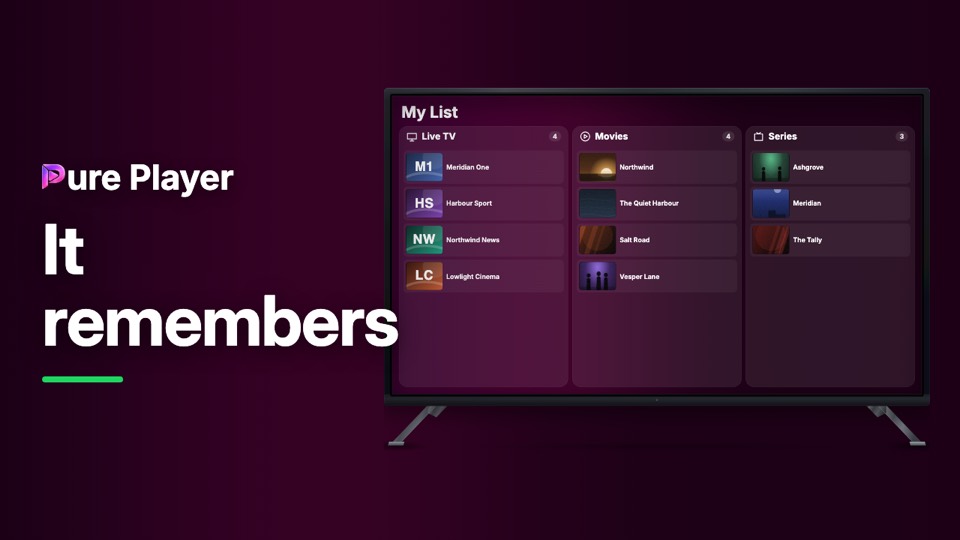
Two things the app keeps for you: what you saved, and where you stopped. Saving is one button, and the list keeps channels, films and series in their own columns rather than one heap.
Continue Watching sits at the top of the home screen and is filled from every device you have linked.
Step by step
On any title, press Add to My List. The label becomes In My List.
Open My List. It has a column each for Live TV, Movies and Series, with a count on each.
Channels are saved the same way, so a favourite channel sits beside a favourite film without mixing with it.
Back on the home screen, Continue Watching is the first row, each card showing exactly how far you got.
Both follow you to your other linked devices.
PurePlayer installed, and your own playlist. Nothing is included with the app.
Questions
Are channels and films kept in the same list?
No, and that is the point. My List has three columns, Live TV, Movies and Series, because a saved channel and a saved film are not the same kind of thing.
Does my list appear on my other devices?
Yes, on every device you have linked and that is on the same playlist.